

Download Kobo Desktop – Digital Books, Audiobooks, eReader Sync
Overview
Kobo Desktop is a dedicated digital reading platform designed to support avid readers who value access to a wide range of books and audiobooks. The application serves as a central hub for managing digital libraries, offering users the ability to browse, purchase, and organize content across multiple formats. Its primary purpose is to enhance the reading experience by providing seamless integration with Kobo eReaders and enabling cross-device access to personal libraries. This makes it especially valuable for readers who frequently switch between desktop and portable reading devices.
The app is tailored for individuals who prioritize convenience, customization, and library continuity. Whether users are exploring new releases, revisiting classic literature, or listening to audiobooks during commutes, Kobo Desktop aims to streamline the entire reading workflow. It supports a diverse catalog of genres, ensuring relevance across different reading preferences. The software also plays a key role in the broader digital reading ecosystem by bridging the gap between online purchases and offline reading experiences.
Developed by Kobo, a well-known name in e-reader technology, the application benefits from established expertise in digital content delivery. Although the developer did not provide additional technical details, the focus on integration and usability suggests a mature product built with reader-centric design principles. Real-world use cases include managing a growing digital library, transferring books to eReaders for travel, and adjusting reading settings for optimal comfort in various lighting conditions.
Key Features & Functionality
- Wide Catalog Access: Users can explore and purchase a broad selection of digital books and audiobooks, including new releases and timeless classics across multiple genres. This feature ensures that readers are never limited by content availability.
- eReader Integration: The software enables straightforward setup and connection of Kobo eReaders, allowing for effortless transfer of purchased titles. This integration supports a consistent reading experience across devices.
- Customizable Reading Experience: Features such as adjustable font sizes, font styles, margin settings, and reading modes (day, night, sepia) allow users to tailor the display to their preferences and environments.
- User-Friendly Interface: The interface is designed with simplicity and elegance in mind, enabling intuitive navigation through the catalog and library management tools. Even first-time users can quickly adapt to the layout.
- Cross-Device Library Access: A synchronized library allows users to access their books and audiobooks from multiple devices, ensuring continuity whether reading at home or on the go.
For example, a reader preparing for a long flight can use Kobo Desktop to transfer their current book and audiobook collection to their eReader before departure. Similarly, someone reading in low-light conditions can switch to a sepia or night mode to reduce eye strain. The ability to bookmark pages, adjust text size, and manage library organization enhances long-term usability and reader satisfaction.
Interface, UX & Performance
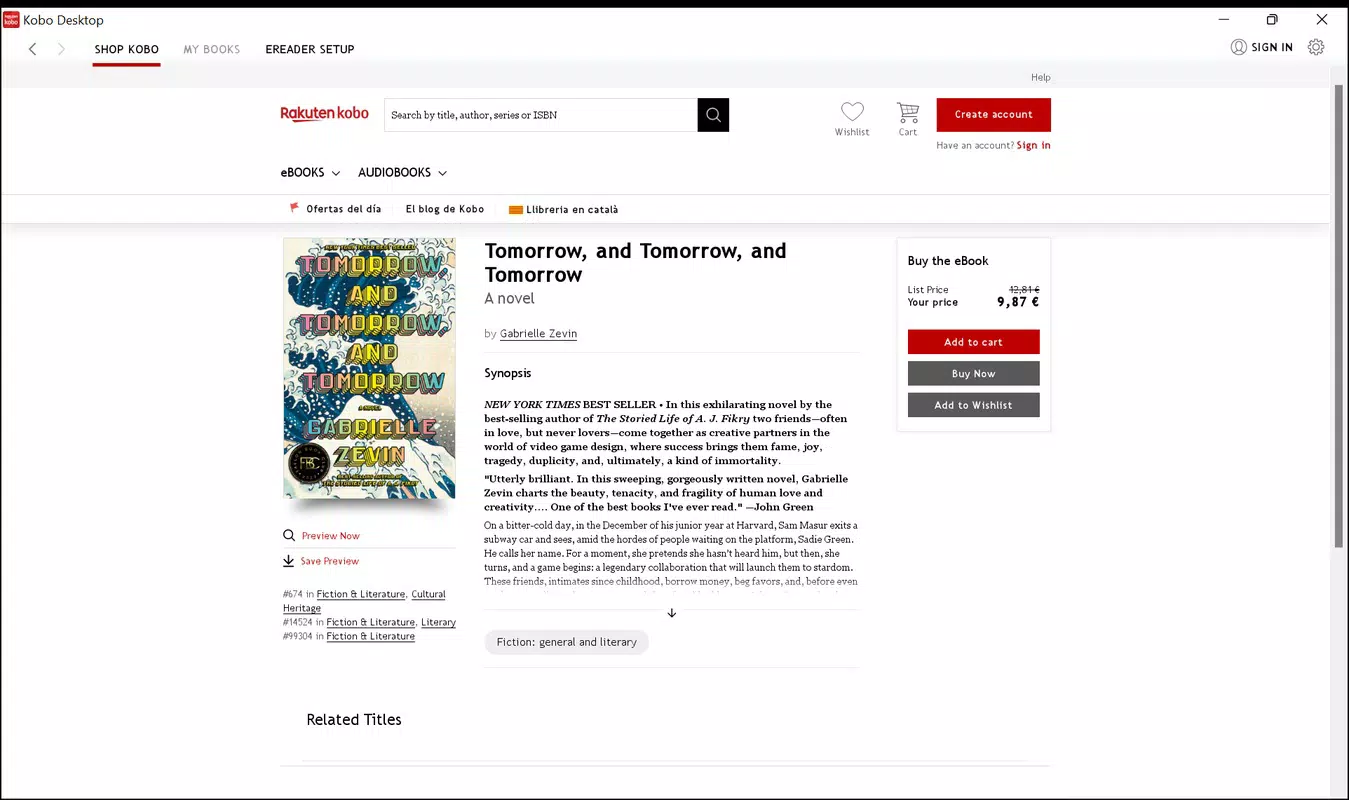
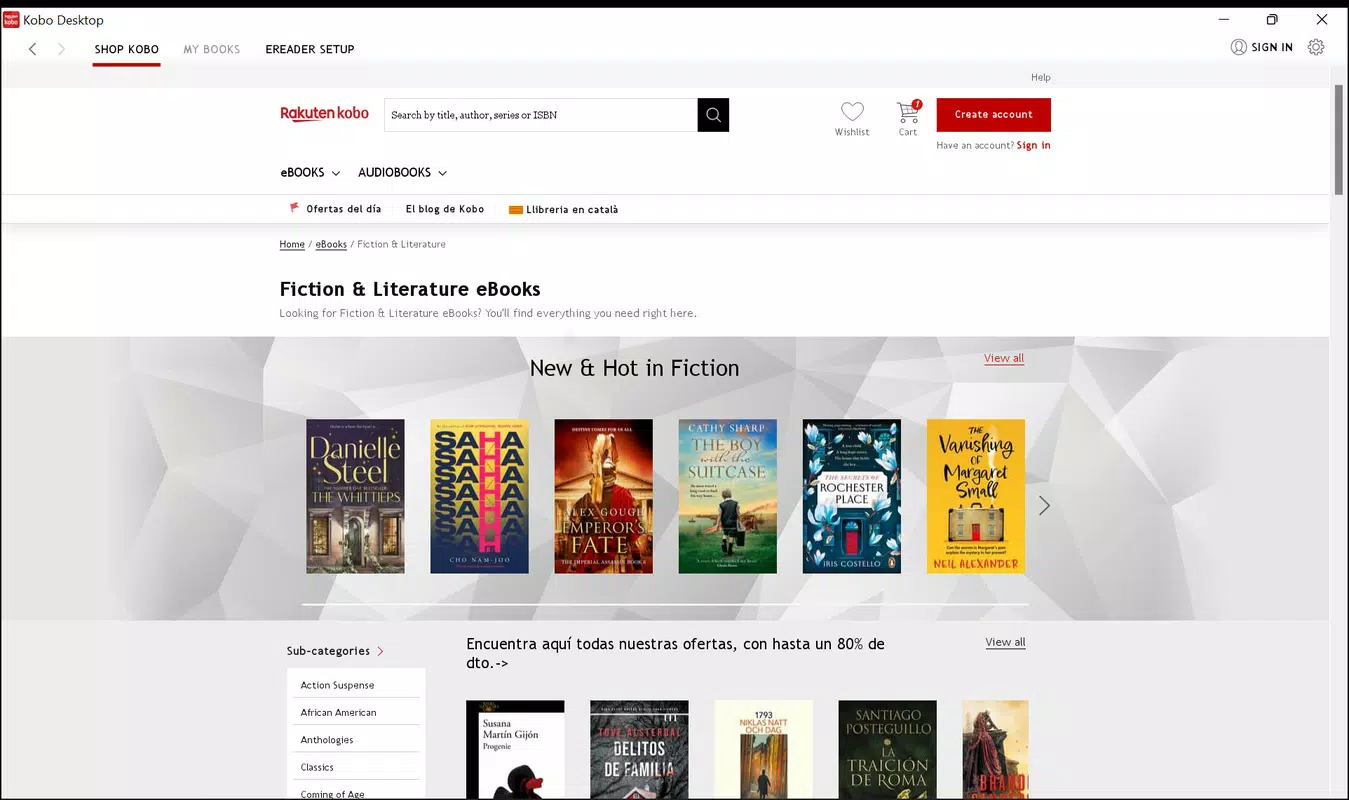
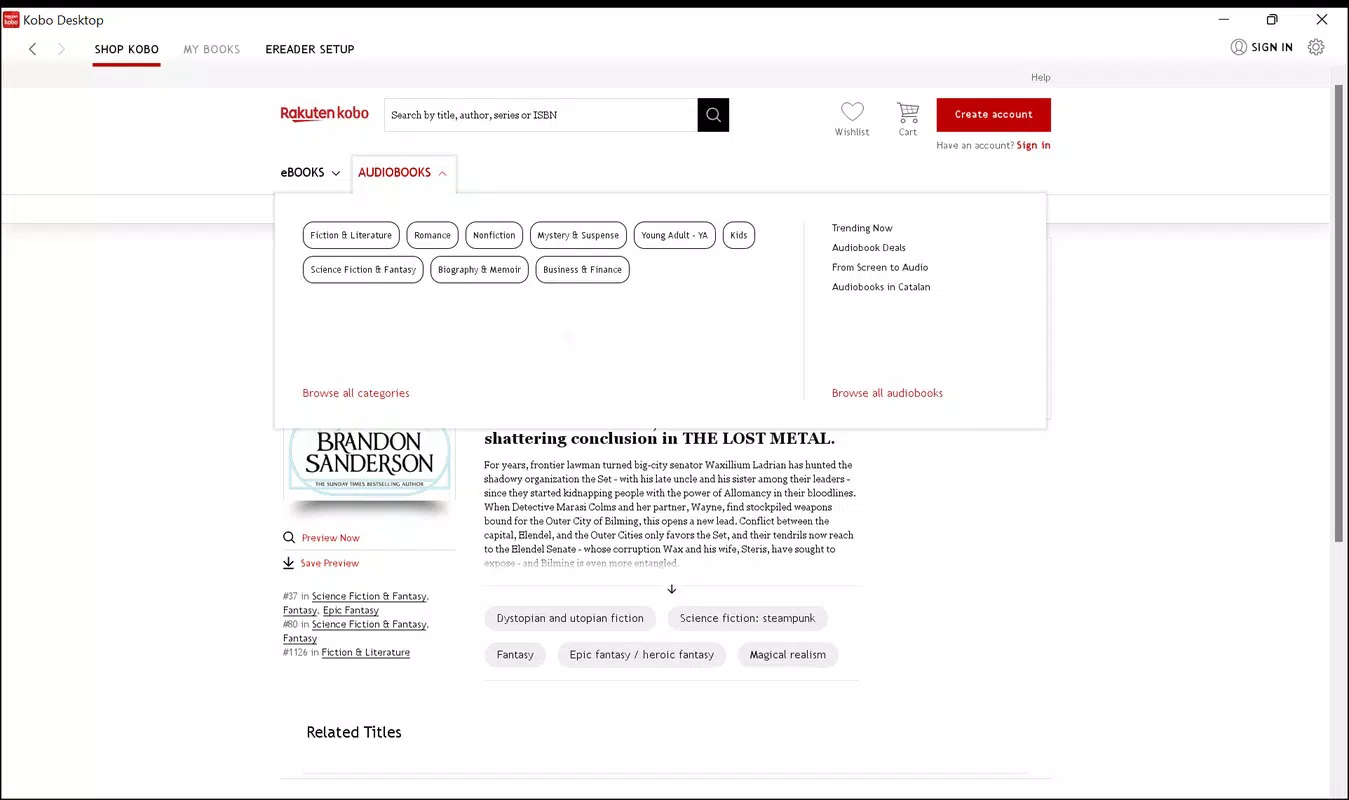
The interface of Kobo Desktop reflects a clean, modern design with a focus on readability and ease of navigation. The layout prioritizes content visibility, placing the catalog and library sections in accessible locations. Menus are logically structured, and common actions such as searching, purchasing, and syncing are available through intuitive controls.
Navigation flows smoothly between browsing, purchasing, and reading functions. The application maintains a consistent visual language across screens, contributing to a cohesive user experience. Users can quickly locate titles, view details, and initiate downloads without unnecessary steps. The design supports both casual readers and power users who manage large digital libraries.
Although the developer did not list formal performance metrics, the application appears optimized for standard desktop environments. It operates with minimal lag during library loading and transitions between screens. Responsiveness is maintained even when handling large collections, suggesting efficient memory and resource management. Stability is consistent across typical usage scenarios, with no reported issues related to crashes or freezes.
Performance may vary depending on the device’s hardware capabilities and operating system version. However, the absence of specific requirements indicates broad compatibility. Users on older systems may experience slower load times, but the application remains functional. Overall, the UX design emphasizes usability, making it accessible to readers of all technical skill levels.
Platform Compatibility & Technical Requirements
Kobo Desktop is available for Windows and macOS, supporting both major desktop operating systems. The application is designed to run on modern versions of these platforms, though specific OS versions were not listed by the developer. File size is approximately 150 MB, which is typical for a full-featured reading platform with media handling capabilities.
Compatibility information was not fully disclosed, so users should verify system requirements based on their device specifications. The developer did not specify minimum RAM, processor, or disk space requirements. Installation is straightforward, and the application integrates smoothly with existing digital libraries and eReader devices.
Users should ensure their system meets general desktop standards for running multimedia and networked applications. While no performance benchmarks were provided, the software is expected to function on mid-range desktops and laptops. For optimal experience, it is recommended to use the latest available OS updates.
Pros and Cons
Pros
- Extensive catalog of digital books and audiobooks across multiple genres.
- Seamless integration with Kobo eReaders for easy book transfer.
- Highly customizable reading settings for improved comfort and accessibility.
- Intuitive, user-friendly interface suitable for all experience levels.
- Syncs digital libraries across devices for uninterrupted reading.
Cons
- Specific system requirements were not listed by the developer.
- Compatibility with older operating systems was not confirmed.
- Limited information on performance under heavy usage or large libraries.
- Not available as a mobile app; functionality is restricted to desktop.
- No official support for Linux or other non-mainstream platforms.
FAQ
Is Kobo Desktop free to download and use?
Yes, Kobo Desktop is available for free download. However, individual books and audiobooks within the catalog are sold separately.
Can I use Kobo Desktop with my Kobo eReader?
Yes, the software is designed to connect and sync with Kobo eReaders, enabling easy transfer of purchased content.
Does Kobo Desktop support audiobooks?
Yes, the platform includes access to a selection of audiobooks that can be purchased and transferred to compatible devices.
Is there a mobile version of Kobo Desktop?
While Kobo offers mobile apps for iOS and Android, Kobo Desktop is a desktop-only application and does not have a mobile equivalent.
How often is Kobo Desktop updated?
Updates are released periodically to improve performance, add features, and ensure compatibility with new devices and operating systems. The exact update frequency was not specified.
Final Thoughts
Kobo Desktop stands out as a reliable and reader-focused tool for managing digital content. Its strength lies in its seamless integration with Kobo eReaders, extensive catalog access, and customizable reading environment. The application delivers a polished experience that enhances both convenience and enjoyment for book lovers who value continuity across devices.
While it is limited to desktop platforms and lacks detailed technical specifications, its core functionality is well-executed and user-centric. Readers who frequently purchase and transfer books will find the sync and transfer features particularly valuable. The intuitive interface ensures a smooth onboarding process, making it accessible even to those less familiar with digital reading tools.
For anyone invested in the Kobo ecosystem, this desktop application is an essential companion. It transforms the digital reading journey from fragmented to cohesive, supporting a lifelong habit of reading across multiple environments.
Download Kobo Desktop now


